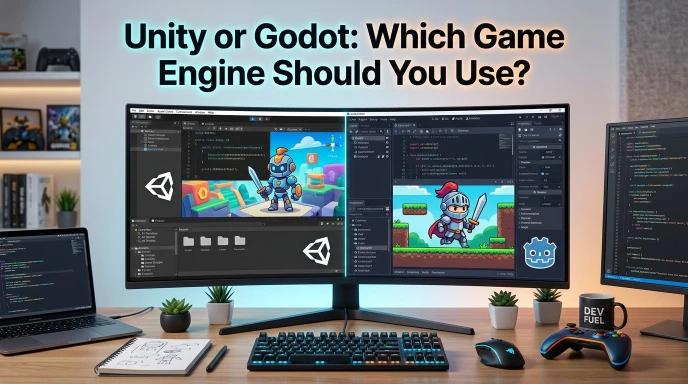
Unity and Godot are both game engines, but they use different tools, workflows, languages, and licensing models. Choosing between Unity or Godot can feel hard when you start making a game. Both engines support 2D and 3D projects. Both can export games to several platforms. Yet, they give developers a different experience.
People search for “Unity or Godot” because they want to know which engine fits their project. Beginners may want an easy tool to learn. Experienced developers may care about C#, graphics, performance, platform support, or workflow. Cost and licensing can also affect the choice.
Unity currently offers Unity 6, a broad 2D and 3D development platform with C# and .NET support. Unity also provides tools for mobile, 2D, 3D, animation, and other development needs.
Godot takes a different approach. It is free and open source under the MIT license. It offers dedicated 2D and 3D workflows, GDScript, C#, and other extension options.
This guide compares Unity and Godot in simple terms.
Quick Answer
Unity and Godot are both game engines for building 2D and 3D games. Unity uses C# and offers a large development ecosystem. Godot offers GDScript, C#, an open source codebase, and a strong 2D workflow.
Here is a simple view:
- Unity: A mature engine with broad 2D and 3D tools.
- Godot: A free, open source engine with a simple scene based workflow.
- Unity language: C# and .NET.
- Godot languages: GDScript, C#, and other options through extensions.
- Unity 2D: Strong tools for 2D game development.
- Godot 2D: A dedicated 2D pipeline and tile map tools.
- Unity 3D: Strong tools for 3D games and applications.
- Godot 3D: Full 3D tools with an independent 3D workflow.
- Godot license: MIT open source license.
For example, a beginner who wants to learn game development can explore Godot’s GDScript. A developer who already knows C# may feel comfortable with Unity or Godot’s C# support.
The Origin of Unity or Godot
The phrase “Unity or Godot” combines the names of two game engines. It does not describe two English words with different spellings.
Unity
Unity began as a game development technology and grew into a broad engine for games and interactive experiences. Today, Unity offers Unity 6 and supports 2D and 3D development across many platforms. Unity describes its engine as a tool for games, apps, and other interactive experiences.
The name Unity suggests the idea of bringing different tools and creative elements together in one development environment.
Godot
Godot’s development began in 2001. The project later moved toward open source development, and Godot became open source in 2014.
Godot now uses a scene and node design. Developers build projects from nodes and reusable scenes. Its official documentation also highlights GDScript, C#, 2D tools, 3D tools, and cross platform export features.
Why Do People Compare Unity and Godot?
People compare them because both engines can create games.
The difference comes from their design and ecosystem. Unity focuses on a broad development platform with many tools and services. Godot focuses on an open source engine with a lightweight, flexible workflow.
So, “Unity or Godot” means a comparison between two game development platforms, not a spelling question.
British English vs American English Spelling
Unity and Godot are proper names and brand names. They do not have separate British and American spellings.
| Name | Correct form | Incorrect form |
| Unity | Unity | unity engine, when referring to the brand |
| Godot | Godot | Godot Enginee |
| Unity Engine | Unity Engine | Unity Engin |
| Godot Engine | Godot Engine | Godot Engin |
The word engine has the same spelling in British and American English.
Examples:
- Correct: Unity is a game engine.
- Correct: Godot is a game engine.
- Correct: I am learning Godot Engine.
- Correct: I use Unity for a 3D project.
The main difference in this keyword comes from the software names, not from British or American spelling rules.
Which Spelling Should You Use?
Use Unity and Godot when you write about the two engines.
For U.S. audiences
Use the official names:
- Unity
- Unity Engine
- Godot
- Godot Engine
For UK and Commonwealth audiences
Keep the same names. Software and product names do not change because of British spelling.
For global audiences
Use Unity and Godot consistently. If your readers may not know the tools, explain the terms on first use.
For example:
Unity and Godot are game engines that help developers create 2D and 3D games.
This simple sentence gives new readers useful context.
Common Mistakes with Unity or Godot
People make several mistakes when they compare or write about these engines.
1. Treating Unity and Godot as programming languages
Unity and Godot are game engines.
C# and GDScript are examples of programming languages that developers can use with these engines. Unity relies on C# and .NET, while Godot supports GDScript and C#, among other options.
Incorrect: Unity is a programming language.
Correct: Unity is a game engine that uses C#.
2. Writing “Godot” incorrectly
The correct name is:
Godot
Avoid adding extra letters or changing the spelling.
3. Calling GDScript Python
GDScript has syntax inspired by Python, but it is not Python. Godot designed GDScript for game development and integrated it closely with the engine.
Incorrect: Godot uses Python as its main language.
Correct: Godot provides GDScript, a language inspired by Python.
4. Assuming both engines work in exactly the same way
Unity and Godot have different editors, scene systems, scripting workflows, and tools.
A tutorial for one engine may not match the other engine.
5. Assuming Godot only supports 2D games
Godot supports both 2D and 3D development. Its official features include 3D rendering, physics, animation, shaders, and other 3D tools.
6. Assuming Unity only makes games
Unity also supports interactive applications and experiences outside traditional games.
Unity or Godot in Everyday Examples
The phrase “Unity or Godot” often appears in questions, tutorials, forums, articles, and social media posts.
In an Email
I am deciding between Unity or Godot for my new game project.
In a News Article
Developers continue to discuss Unity and Godot as game development tools.
On Social Media
Should I learn Unity or Godot first?
In Formal Writing
The developer compared Unity and Godot before selecting an engine for the project.
In a Blog Post
Unity or Godot can both support modern 2D and 3D game projects.
In a Search Query
People may search:
- Unity or Godot
- Unity vs Godot
- Unity or Godot for beginners
- Unity or Godot for 2D
- Unity or Godot for 3D
- Unity or Godot C#
- Unity or Godot performance
- Unity or Godot licensing
These searches show different user goals. Some people want to learn. Others want to compare features, tools, cost, or workflow.
Google Trends & Usage Data
Search interest for Unity and Godot can change over time. It can also change by country, platform, game genre, and development trend.
Google Trends measures relative search interest, not the number of developers using an engine. A higher search level does not automatically mean that an engine has more users or better tools.
The keyword “Unity” also has meanings outside game development. People can use the word in general English, education, philosophy, religion, politics, and other contexts. Therefore, a search for “Unity” alone does not measure game engine interest perfectly.
The keyword “Godot” has a much stronger connection to the game engine, although search results can still vary by location and time.
For game development searches, people often use terms such as:
| Search term | Likely user intent |
| Unity | Find the Unity platform |
| Godot | Find the Godot engine |
| Unity or Godot | Compare both engines |
| Unity vs Godot | Compare features |
| Unity or Godot for beginners | Find a beginner friendly option |
| Unity or Godot 2D | Compare 2D workflows |
| Unity or Godot 3D | Compare 3D workflows |
| Unity or Godot C# | Compare C# development |
Always check Google Trends for the exact country and time range you want before making claims about current search popularity.
Unity vs Godot: Key Differences
| Feature | Unity | Godot |
| Type | Game and interactive development engine | Open source game engine |
| 2D development | Yes | Yes |
| 3D development | Yes | Yes |
| Main scripting | C# / .NET | GDScript and C# |
| Open source | No | Yes |
| License | Unity licensing terms | MIT license |
| Dedicated 2D workflow | Yes | Yes |
| Scene based workflow | Yes | Yes |
| Cross platform development | Yes | Yes |
| Mobile development | Yes | Yes |
| Web development | Yes | Yes |
| Community extensions | Large ecosystem | Large open source community |
| Current major version | Unity 6 | Godot 4.x |
| Best fit depends on | Project, tools, workflow, and experience | Project, tools, workflow, and experience |
Unity officially describes Unity 6 as its current engine generation and highlights 2D, 3D, mobile, animation, and other feature sets.
Godot provides dedicated 2D and 3D engines, GDScript, C#, and an MIT licensed open source codebase.
Unity or Godot for Beginners
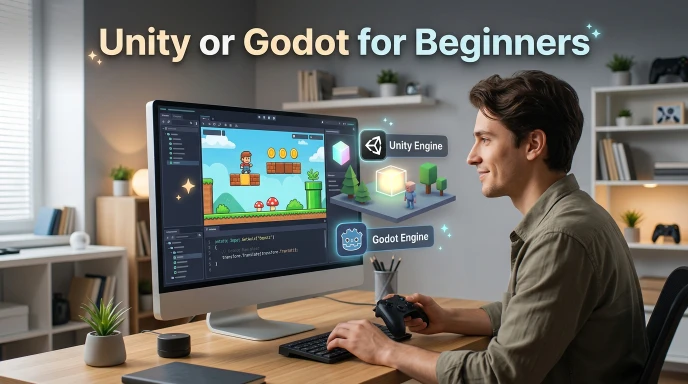
Beginners often care about three things:
- How easy the engine feels.
- How easy it is to learn.
- How well it matches their first project.
Godot’s official documentation recommends GDScript for beginners because it has a straightforward syntax and close integration with the engine.
Unity uses C#, a widely used programming language with a large set of learning resources and development tools. Unity officially highlights C# and .NET in its scripting system.
Your previous programming experience can therefore affect the learning process.
If you already know C#, Unity may feel familiar. Godot also supports C#, so you can continue using that language there as well.
Unity or Godot for 2D Games
Both engines support 2D development.
Unity provides a dedicated 2D feature set with tools for animated characters, 2D physics, and different art styles.
Godot provides a dedicated 2D pipeline. It includes tools for pixel based development, tile maps, animation, physics, and user interfaces.
For a small platformer, puzzle game, top down game, or pixel art project, either engine can support the core development work.
Your art workflow, coding style, target platform, and preferred editor should guide your choice.
Unity or Godot for 3D Games
Both engines support 3D development.
Unity offers 3D world building, character animation, lighting, rendering, and other tools for 3D projects.
Godot also provides 3D meshes, physics, shaders, animation tools, and other features for 3D projects.
Godot’s own documentation notes that its 3D workspace has fewer built in tools than its 2D workspace, so some projects may need external programs or add ons.
For complex 3D projects, compare the exact tools, assets, plugins, and workflows you plan to use.
Unity or Godot for C#
C# users can work with both engines.
Unity uses C# and .NET as a core part of its scripting workflow.
Godot also supports C#. Its .NET version provides C# support, while GDScript remains the engine’s own scripting language.
Godot’s documentation recommends GDScript for beginners and suggests C# mainly for users who already know the language.
This makes your existing coding experience an important factor when you compare Unity or Godot.
Unity or Godot: Cost and Licensing
Cost can play a major role in game engine selection.
Godot is free and open source under the MIT license. The license lets developers use, change, and distribute the engine, including for commercial projects, subject to the license requirements.
Unity offers Unity Personal as a free version and also provides paid professional and enterprise plans. Unity directs users to its current licensing and pricing information for plan details.
Because Unity pricing and licensing terms can change, check Unity’s current licensing page before starting a commercial project.
FAQ’s
Q1. Is Unity better than Godot?
There is no single answer for every project. Both engines have different tools, workflows, languages, and licensing models. Your project needs should guide the comparison.
Q2. Is Godot free?
Yes. Godot is free and open source under the MIT license.
Q3. Is Unity free?
Unity offers a free Unity Personal plan. It also provides paid plans for professional and enterprise users.
Q4. Can Godot make 3D games?
Yes. Godot supports 3D games and includes 3D rendering, physics, animation, meshes, shaders, and other 3D features.
Q5. Can Unity make 2D games?
Yes. Unity has a dedicated 2D feature set with tools for 2D games, animation, and physics.
Q6. Does Godot use Python?
No. Godot uses GDScript as its own scripting language. GDScript has syntax inspired by Python, but Godot does not use Python as its main scripting language.
Q7. Can I use C# in Godot?
Yes. Godot provides C# support through its .NET editor.
Conclusion
Unity or Godot is a useful comparison for anyone who wants to build a game or interactive application. Both engines support 2D and 3D development, but they follow different approaches.
Unity 6 offers a broad development platform with C#, 2D and 3D tools, mobile support, animation tools, and many other features. Godot offers an open source approach with an MIT license, dedicated 2D and 3D workflows, GDScript, C#, and a flexible scene and node system.
Your project should guide your decision. Think about the type of game you want to build, your target platforms, your coding skills, your preferred workflow, and your budget. Beginners can explore Godot’s GDScript, while developers with C# experience can consider either engine.
There is no need to treat the choice as a permanent decision. Learning one engine can also teach you useful game development skills that transfer to other engines. Start with a small project, test the workflow, and choose the engine that fits your development needs.
Learn More About!
TurboTax or TaxAct: Which Tax Software Should You Use?
Tin or EIN: What Is the Difference and Which One Do You Need?
Bend or Rentals: What Does “Bend OR Rentals” Mean?

Hi, I’m Jordan Wells, a writer interested in English grammar, spelling, and word usage.
At Grammerynex, I simplify confusing words, grammar rules, and common English mistakes into clear, easy-to-understand explanations.
My goal is simple: make English easier, one word at a time.




2 thoughts on “Unity or Godot: Which Game Engine Should You Use?”